AI Mind Maps for Your Flashcards — and a Far Smarter Study Briefing
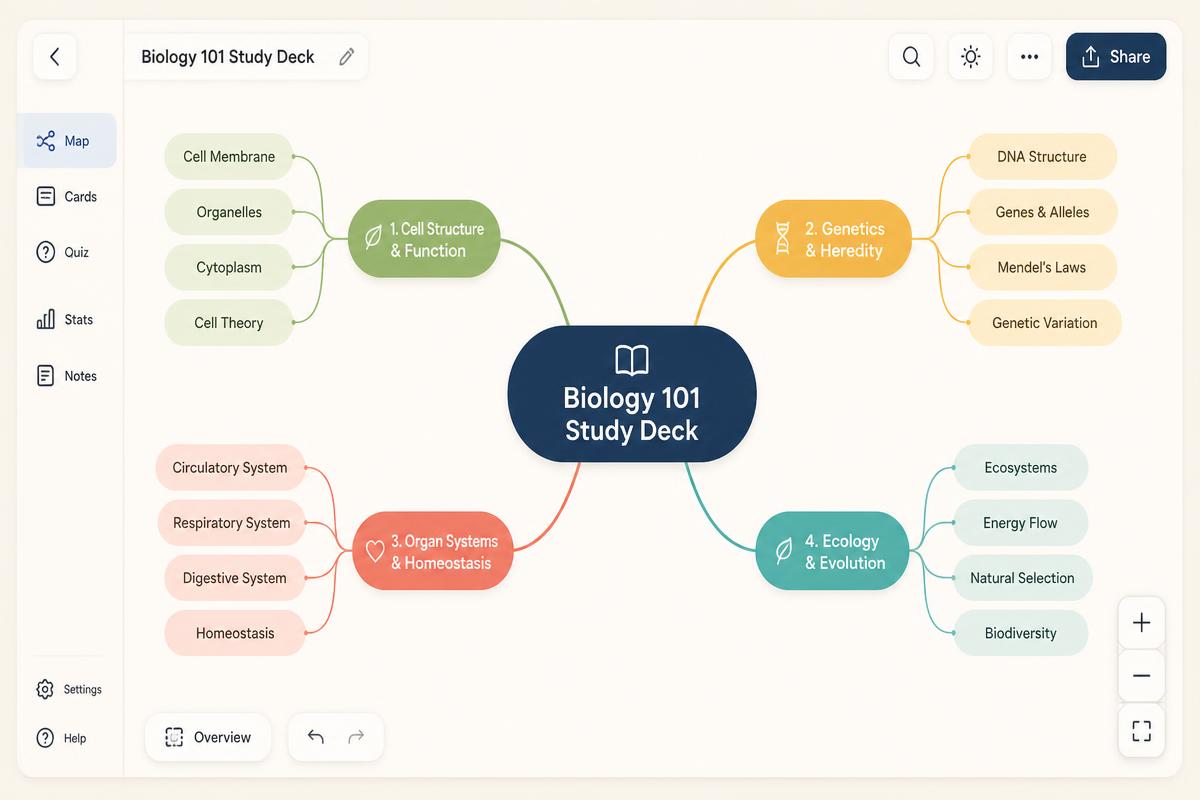
One tap on Generate Study Brief now does two things: it writes a genuinely useful briefing on your deck — core concepts, key facts, pitfalls, a prioritised study plan — and it builds an interactive mind map you can pan, zoom and expand node by node.
Why the old AI summary wasn't good enough
The previous version gave you three things: a short paragraph, a flat list of topic names, and a few "you'll learn" bullets. It was fine as a label — useless as a study tool. Worse, it only read a truncated slice of your notes, so long decks got a summary of their first few pages.
We rebuilt it. The briefing now reads your full source notes and every card in the deck, chunked and merged for large decks, and returns a structured document you can actually revise from.
What's inside the new Study Briefing
Each concept gets a plain-language explanation, a difficulty signal and how many cards cover it — so you see weight, not just labels.
The definitions, dates and equations actually worth memorising, pulled straight from your cards.
"X leads to Y", "A contrasts with B" — the relationship notes that also feed the mind map.
Easy-to-confuse pairs inferred from similar cards, so you stop losing marks to the same mix-up.
An ordered plan: what to hit first, what can wait, what to leave until the night before.
Concrete, measurable "you will be able to…" statements instead of vague topic labels.
The mind map: your deck, as a structure
Flashcards are brilliant at atomic recall and terrible at showing structure. You can know 200 cards and still not be able to explain how the topic fits together — which is exactly what essay questions and oral exams test.
The mind map fixes that. Your deck becomes the root node; major themes become colour-coded branches; concepts become sub-branches; individual facts and cards become leaves. Tap a node to expand its children, tap again to open a detail panel with the explanation and the related flashcards.
Collapsed to depth 1 by default, so it never looks crowded. Expand-all and collapse-all are one tap away.
Drag to pan, wheel or pinch to zoom, plus zoom in/out/reset/fit buttons and a desktop fullscreen toggle.
Full-screen sheet, big tap targets and a readability floor on zoom so labels never shrink into mush.
How to generate one (30 seconds)
- Open any deck — from your dashboard, the deck editor, or a study session.
- Tap Generate Study Brief.
- Read the briefing: core concepts, key facts, pitfalls, study plan.
- Switch to the Mind Map tab and start expanding nodes.
Both are saved to the deck, so re-opening is instant — regenerate only when your cards change.
Why this beats a generic mind map tool
- It's built from your material, not a prompt you have to write.
- Nodes link back to cards — jump from a concept straight into reviewing it.
- Weighted by card count, so you can see which themes dominate the deck.
- No extra subscription. It's included in your QuickCards plan alongside spaced repetition, games and the AI tutor.
Plan limits
- Free: 1 lifetime trial briefing + mind map.
- Basic: 5 briefings + mind maps per month.
- Pro / Pro Life / Pro Max: unlimited.
FAQ
Yes — tap Generate Study Brief on any deck and the mind map is built in the same run, from your cards and source notes.
Yes. It opens full-screen with drag-to-pan, pinch-zoom, large tap targets and a zoom floor that keeps labels readable.
No. The briefing and map are generated from the deck itself — no prompting, no copy-pasting into a chatbot.
Yes, it is stored on the deck, so it loads instantly on every visit until you regenerate it.
The old version summarised a truncated slice of your notes into three thin fields. The briefing reads everything and returns concepts, facts, connections, pitfalls and a prioritised plan.
See your whole subject in one picture
Generate a study briefing and an interactive mind map from any deck — free to try, no prompt writing required.